- info@inthings.tech
- Room No. 16/591 Karinkallathani, Chethalloor-PO, Thachanattukara-II Palakkad.


About Inthings
Inthings, founded in May 2019, is a dynamic and innovative technology company driven by a team of visionary entrepreneurs and highly skilled software engineers.
Customers & Affiliations
Blog
Blog
01/04/2026
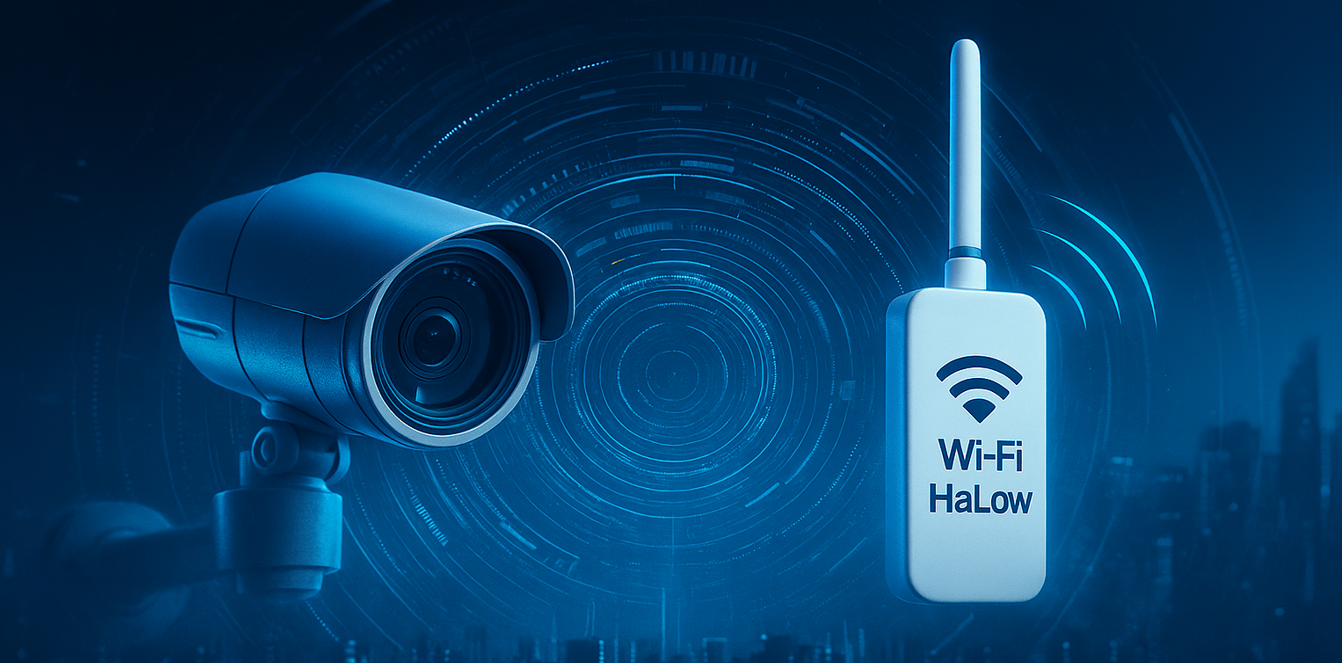
Integrating Morse Micro Wi Fi HaLow® with NVIDIA Jetson Orin NX on DSBOARD ORNX: Overcoming a Complex Compatibility Deadlock
Category: Computer Vision
Modern AI vision systems increasingly demand longrange, lowpower connectivity — and WiFi HaLow® (802.11ah) is quickly becoming a preferred option. Recently, our engineering team successfully integrated the Morse Micro MM8108 WiFi HaLow® USB Evaluation Kit with an NVIDIA Jetson Orin NX deployed on a custom carrier board, the DSBOARD ORNX.
This integration wasn’t straightforward: the DSBOARD‑ORNX is built for multi‑camera deployments with 4× CSI interfaces, while the HaLow evaluation kit depends on specific kernel and driver versions that clash with the board support package (BSP) provided for the DSBOARD. The result was a technical deadlock — fixing one side broke the other.
This blog outlines the challenge, the engineering approach we took, and how we solved it — demonstrating our capability to integrate advanced wireless technologies with custom Jetson platforms for AI driven edge devices.
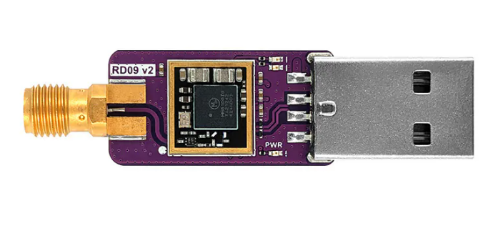
Why We Chose DSBOARDORNX for Jetson Orin NX
Our project required three wide‑angle cameras to provide complete 360‑degree situational awareness, which meant we needed a carrier board with at least three CSI lanes.
NVIDIA’s official Jetson Orin NX developer kit only offers 2× CSI, but the DSBOARD‑ORNX from Forecr provides:
- 4× CSI 2‑lane interfaces
- Industrial‑grade design
- Extended I/O options for edge deployments
This made it the ideal choice for our multi‑camera edge‑AI system.
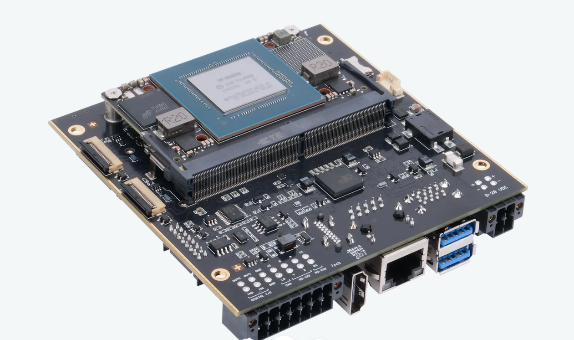
The Challenge: Wi‑Fi HaLow Driver vs. DSBOARD BSP
To support the Morse Micro MM8108 HaLow USB module, we needed to build the latest Morse driver (v1.16.4), which requires:
- Linux kernel 5.15.148‑tegra
- NVIDIA L4T 36.4.7
However, the DSBOARD‑ORNX BSP available for flashing supports only:
- L4T 36.4.4
- Custom Forecr DTBs, pinmux settings, and camera overlays
This led to a perfect compatibility deadlock:
If we stayed on 36.4.4:
✔ DSBOARD cameras & pinmux worked
✘ Morse HaLow driver crashed due to mismatched kernel symbols
If we upgraded to 36.4.7:
✔ HaLow driver built successfully
✘ DSBOARD camera interfaces broke
✘ Jetson‑IO became unusable
✘ Boot loops occurred due to DTB mismatches
Neither direction alone was workable — so we engineered a hybrid solution.
Our Solution: A Carefully Balanced Integration Strategy
Our engineers designed a three‑phase solution that preserved DSBOARD functionality while enabling the HaLow driver to build and run correctly.
Phase 1 — Flashing Jetson Orin NX on DSBOARD‑ORNX with Forecr BSP (L4T 36.4.4)
To establish a stable foundation for integrating Wi‑Fi HaLow®, the first step was to ensure that the Jetson Orin NX was flashed using the official Forecr BSP for DSBOARD‑ORNX. This provides the correct device tree, pinmux configuration, and camera overlays — all of which are required for the multi‑camera setup on our system.
Below is the step‑by‑step process used during the setup.
- Install JetPack 6.2.1 via SDK Manager
On the x86 Ubuntu host machine, we began by installing NVIDIA SDK Manager and selecting:
- JetPack 6.2.1
- Jetson Orin NX as the target module
This ensures the base L4T release (36.4.4) matches the Forecr BSP requirements.
- Prepare the Jetson Flashing Environment

Inside the SDK Manager's workspace, we navigated to the Jetson flashing tools and applied the necessary NVIDIA binaries:
These steps configure the flashing environment so it can correctly incorporate the Forecr‑provided board files.
- Apply Forecr DSBOARD‑ORNX BSP

Forecr provides a BSP overlay that replaces the standard NVIDIA device tree and boot configurations with board‑specific ones required for CSI cameras, pinmux, and system bring‑up.
This script updates several critical components inside Linux_for_Tegra, including:
a. Main Board Device Tree (DTB)
- Linux_for_Tegra/kernel/dtb/tegra234-p3768-0000+p3767-0001-nv-super.dtb
b. Camera Overlays (Kernel + Boot RootFS)
- tegra234-p3767-camera-dsboard-ornx-imx219.dtbo
- tegra234-p3767-camera-dsboard-ornx-imx477.dtbo
These overlays contain the CSI lane mapping essential for our 3‑camera multi‑sensor fusion system.
c. Pinmux / GPIO Configuration (BCT Files)
- bootloader/generic/BCT/tegra234-mb1-bct-pinmux-p3767-dp-a03.dtsi
- bootloader/generic/BCT/tegra234-mb1-bct-gpio-p3767-dp-a03.dtsi
These BCT entries ensure that all DSBOARD‑specific I/O, including camera reset, power rails, and GPIO assignments, behave correctly.
d. Boot Configuration Adjustments
- DSBOARD GbE ODMDATA
- Disabled CVB EEPROM read
- Automatic camera overlay handling via OVERLAY_DTB_FILE
This ensures the DSBOARD boots with the correct identity and hardware profile.
- Configure a Default System User

To streamline first‑boot and automated testing, we created a default user directly during the flashing process:
- Flash the DSBOARD‑ORNX in Recovery Mode (NVMe “Super Mode”)
With the board placed into recovery mode and connected to the host system, we performed a full NVMe flash using NVIDIA’s initrd flashing tool:

After flashing, the system boots cleanly into L4T 36.4.4 with:
- Correct Forecr DTBs
- Working camera overlays
- Accurate pinmux configuration
This forms the stable baseline needed before upgrading the kernel to support the Morse Micro Wi‑Fi HaLow® driver.
Phase 2 — Selective Kernel Upgrade to L4T 36.4.7 While Preserving DSBOARD‑ORNX BSP
With the DSBOARD‑ORNX successfully flashed using the Forecr BSP (L4T 36.4.4), the next challenge was to upgrade only the kernel stack to the version required by the Morse Micro Wi‑Fi HaLow® driver — without breaking the DSBOARD’s critical DTB and camera configurations.
Upgrading the Jetson system normally would overwrite Forecr’s device tree, pinmux, overlays, and jetson‑io resources, leading to broken camera interfaces and boot issues.
To avoid this, we used a carefully controlled process.
- Back Up the Entire /boot Directory
Before performing any upgrades, we made a complete backup of /boot so that DSBOARD‑specific DTBs and overlays could be restored after the kernel update:

This ensures we retain all Forecr board‑specific assets necessary for CSI cameras and pinmux.
- Upgrade Only the L4T Kernel Components
The Morse Micro HaLow driver requires kernel 5.15.148‑tegra, which ships with L4T 36.4.7.
Instead of running a full system upgrade, we selectively upgraded only the kernel, headers, DTBs, and OOT module packages:
After reboot, we verified:
- Kernel: 5.15.148‑tegra
- L4T Release: R36.4.7
- Restore Forecr Camera Overlays (DTBOs)

The kernel package update replaces certain files in /boot, including camera overlays.
We restored them from the earlier backup:
This brings back the Forecr CSI lane configuration needed for multi‑camera operation.
- Lock the Kernel Packages (Prevent Overwrite)
To ensure future apt upgrade operations don’t unintentionally overwrite DSBOARD configurations, we locked all kernel‑related packages:
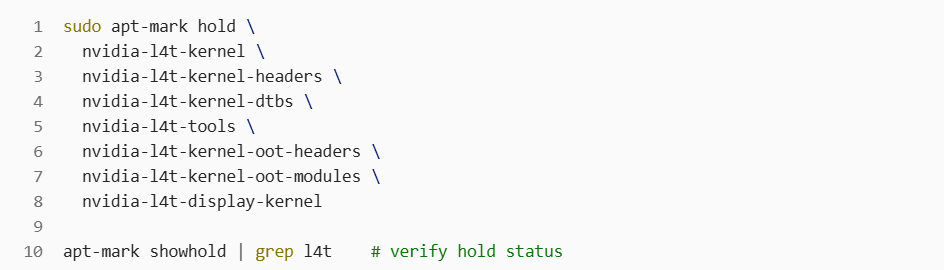
At this stage, the system is running:
- DSBOARD‑ORNX BSP (camera + pinmux preserved)
- L4T 36.4.7 kernel stack (required for HaLow driver)
- A stable hybrid foundation ready for driver compilation
Phase 3 — Building and Installing the Morse Micro Wi‑Fi HaLow® Driver
With the kernel upgraded and aligned with Morse Micro’s driver requirements, the next step was to build and install the Wi‑Fi HaLow® driver cleanly for Jetson Orin NX (ARM64).
This phase required source code preparation, ARM64 compatibility fixes, proper include paths, and firmware installation.
- Fix the Kernel Header Symlink

The Jetson kernel headers must point to the correct build directory for module compilation:
This ensures the driver is built against the correct 36.4.7 kernel tree.
- Clone the Driver and Firmware Repositories
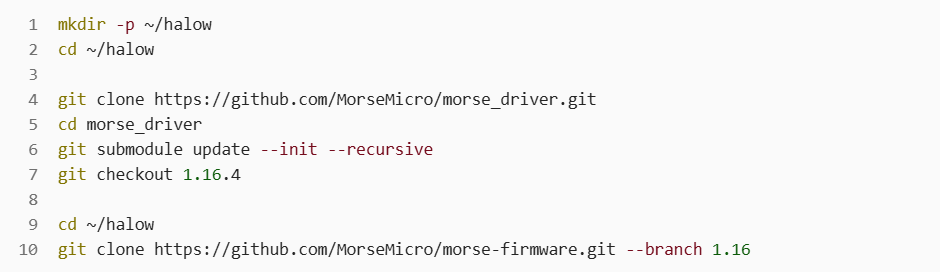
- Add ARM64 Support in morse.h
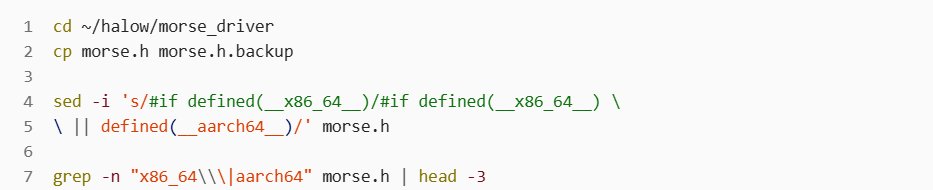
The original header only checks for __x86_64__.
We updated it to include ARM64 (__aarch64__) so the driver compiles correctly:
- Fix Include Paths in dot11ah/Makefile

We added the required mmrc include directories in the driver Makefile:
- Build and Install the HaLow Driver Modules
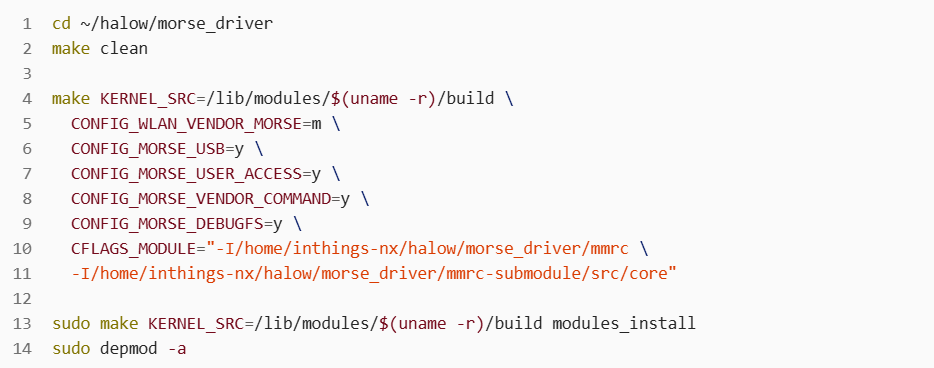
With all dependencies in place, we built the kernel modules:
The resulting modules appear under:
- /lib/modules/5.15.148-tegra/updates/morse.ko
- /lib/modules/5.15.148-tegra/updates/dot11ah/dot11ah.ko
- Install Firmware and Enable Auto‑Loading
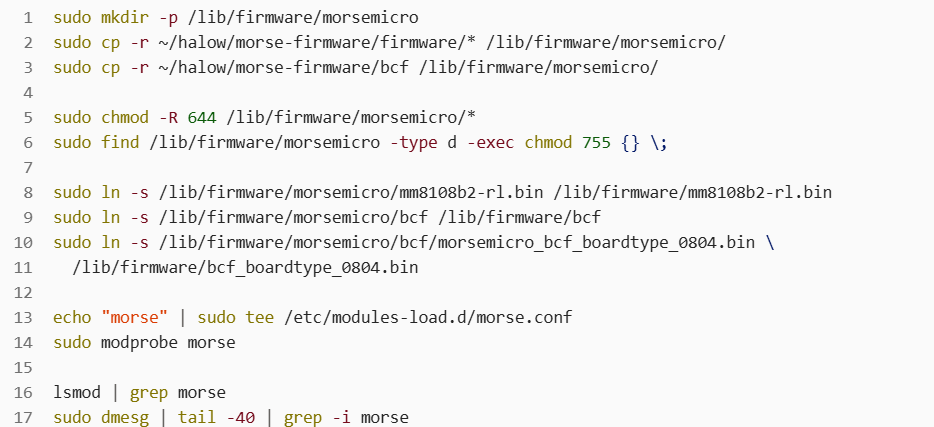
At this point:
- The HaLow driver loads automatically at boot
- Normal Wi‑Fi continues to work
- HaLow interfaces (wlx*) appear in ip link
- No kernel symbol mismatches occur
Ensuring DSBOARD Stability: DTB, jetson‑io & Camera Fixes
Upgrading the kernel exposed several additional issues:
- jetson‑io unable to detect board
DTBs were missing or had mismatched model strings. We corrected this by:
- Restoring DSBOARD’s real DTB into /boot/dtb/
- Editing the DTB model string to match the running device
- Fixing missing Jetson Python modules
- Camera interfaces not appearing
This occurred when NVIDIA default DTBs replaced Forecr DTBs.
Restoring DSBOARD DTBs resolved this issue.
After these fixes:
✔ jetson-io worked again
✔ Cameras enumerated correctly
✔ pinmux behavior matched DSBOARD specifications
Final Result: A Fully Functional, Stable Hybrid System
After extensive debugging, patching, and system‑level engineering, we achieved the following:
DSBOARD‑ORNX fully operational
- All cameras recognized
- Pinmux configurations intact
- Jetson‑io functioning normally
Morse Micro Wi‑Fi HaLow® driver fully integrated
- Clean build on kernel 5.15.148‑tegra
- Stable runtime without symbol mismatches
- Coexists with normal Wi‑Fi
System reliability restored
- No boot loops
- No Wi‑Fi instability
- No driver insertion issues
This hybrid, finetuned environment is now production‑ ready for long‑ range wireless edge‑ AI‑ deployments.
Why This Matters
WiFi HaLow unlocks new capabilities for edge AI systems:
- Long range wireless video and sensor data
- Robust connectivity in industrial environments
- Low power operation for remote or battery powered nodes
By solving this integration challenge, our team has demonstrated expertise in:
- Custom Jetson BSP integration
- Device tree engineering
- Kernel / driver compatibility management
- Multi‑camera edge‑AI system architecture
- Advanced wireless technology integration
This experience allows us to confidently support complex, mixed vendor hardware deployments that most teams cannot handle.
Need Help Integrating HaLow or Custom Wireless Modules with Jetson?
We now offer end to end support for:
- Custom Jetson carrier boards
- Wi‑Fi HaLow / Sub‑GHz / proprietary RF
- Multi‑camera AI systems
- Low power edge intelligence
- OTA updates, DevOps, production optimization
If you’re building an edge AI device that requires advanced wireless connectivity, we can help you bring it to life.